Smart Banners on VA.gov
What are Smart Banners?
Smart Banners are system-native prompts that appear at the top of a mobile browser when a user visits a website that has an associated native app. They are provided and rendered by the mobile operating system — not by VA.gov itself — giving them a trusted, consistent appearance across all websites that use them. On iOS, Safari displays a Smart Banner automatically when a specific 'meta' tag is added to a webpage. On Android, Chrome shows a Native App Install Banner when the site meets certain technical criteria and the browser determines the user may benefit from the app. Both banner types display the app's name, icon, and include a button that either opens the app (if already installed) or directs the user to the App Store or Google Play to download it. They can also be configured to deep link the user directly to a specific screen within the app, matching the page they were viewing in the browser. As shown in the screenshots below, the banner appears at the very top of the browser — above VA.gov's own header, including above the Veterans Crisis Line bar.
| iOS - Chrome | Android - Chrome |
|---|---|
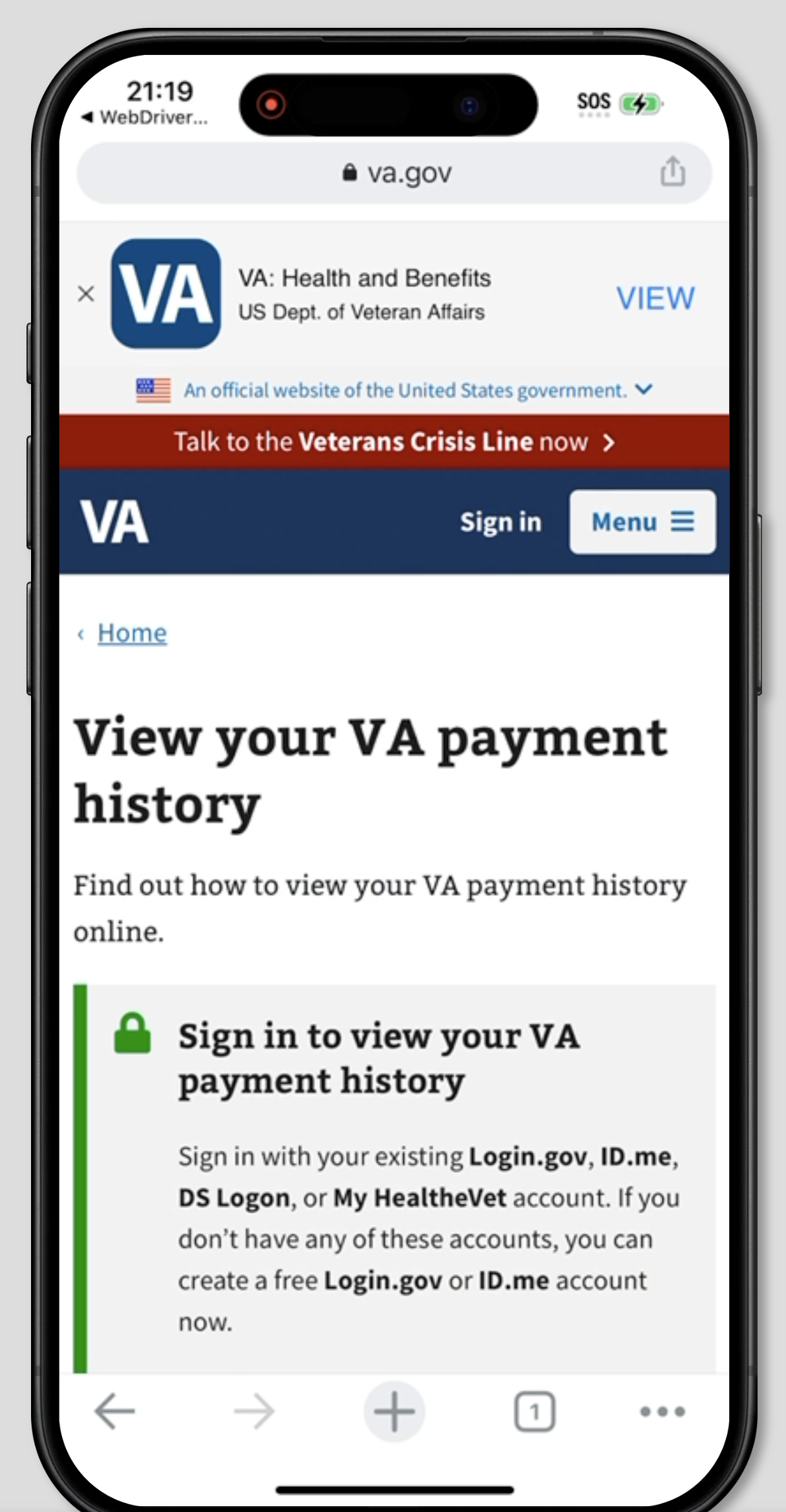 | 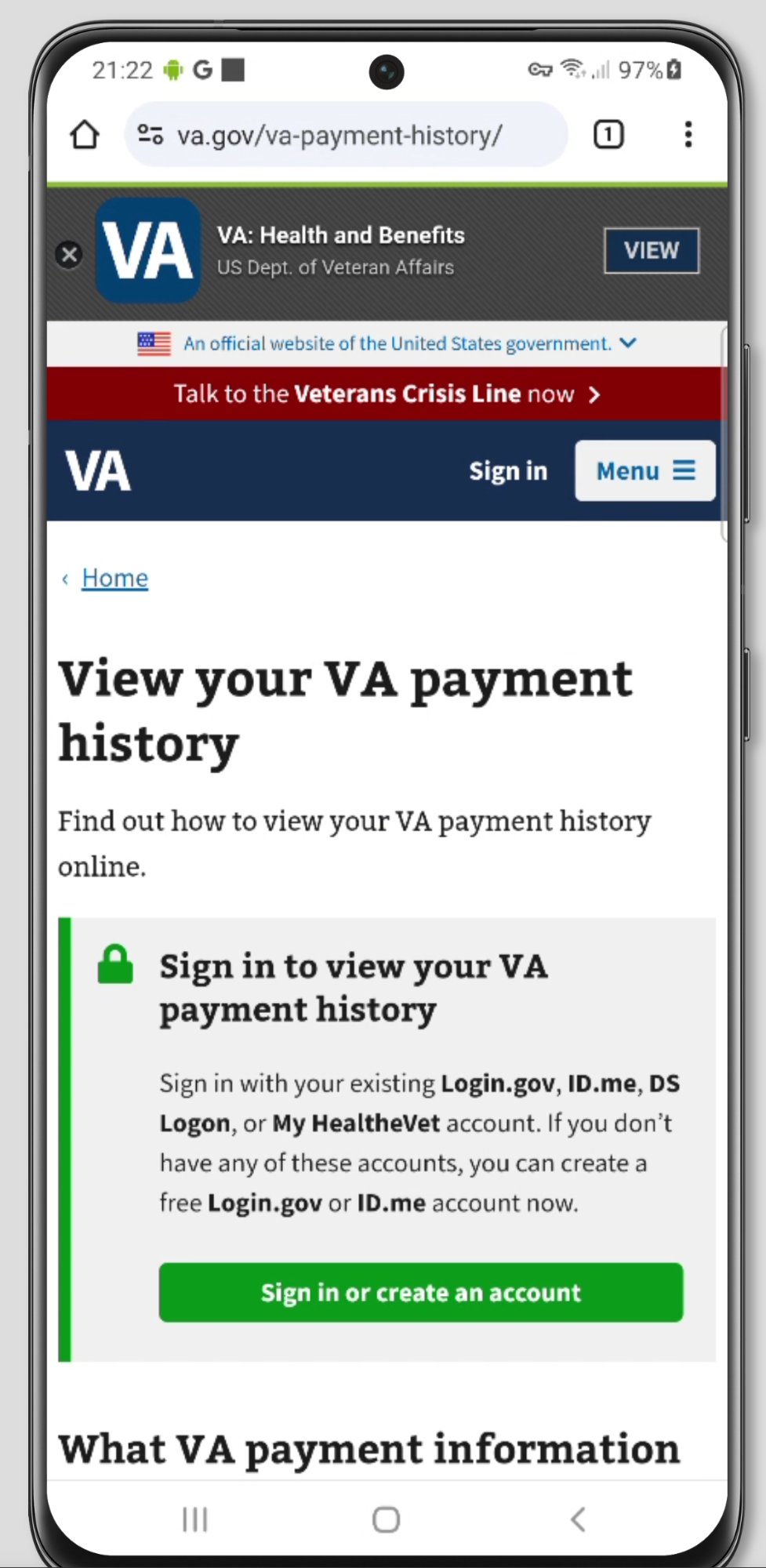 |
Use a Smart Banner When...
The VA mobile app provides a streamlined experience. Add the banner to your VA.gov page when the app offers a meaningfully better experience by utilizing biometric login, native form filling, or file upload functionality.
You can deep link to the relevant in-app screen. Sending a Veteran directly to the equivalent in-app destination will save confusion and help the Veteran complete their task more smoothly. See our documentation on Universal and App Links for more information on linking to a specific page within the app.
The Veteran is already engaged with a task-oriented page. The banner is better suited for specific tool or feature pages than for high-traffic entry points like the homepage or sign-in flow.
Avoid a Smart Banner When...
The Veteran is mid-task. Interrupting someone in the middle of a form submission, or a step-by-step flow risks them losing progress. Instead add the Smart Banner at the beginning of a task only, giving the user the option to begin the task within the mobile app instead of in the browser.
The page has no in-app equivalent. Static content pages, policy information, and benefit explainers don't map to a native app experience. Don't prompt an install without a clear payoff for the user.
Summary
Smart Banners are a tool to drive users to the VAHB Mobile App, but should only be used when the app will provide the user with additional functionality such as jumping them directly into an authenticated flow to complete a task.